
Watch two real AI workflows get built from scratch — then build your own.
Not a tool tour. Not a prompt-template dump. A working method — S.A.V.E. — demonstrated live on the kind of messy, real work you actually do: raw weekly notes, dirty Excel exports, reports nobody enjoys writing.
- 60 minutes of live teaching, 2 complete builds on screen — mistakes included
- Leave with 2 reusable workflows and the method behind them
- Live Q&A: bring your own task, get a direct answer
Limited live seats. Replay access for 48 hours included.
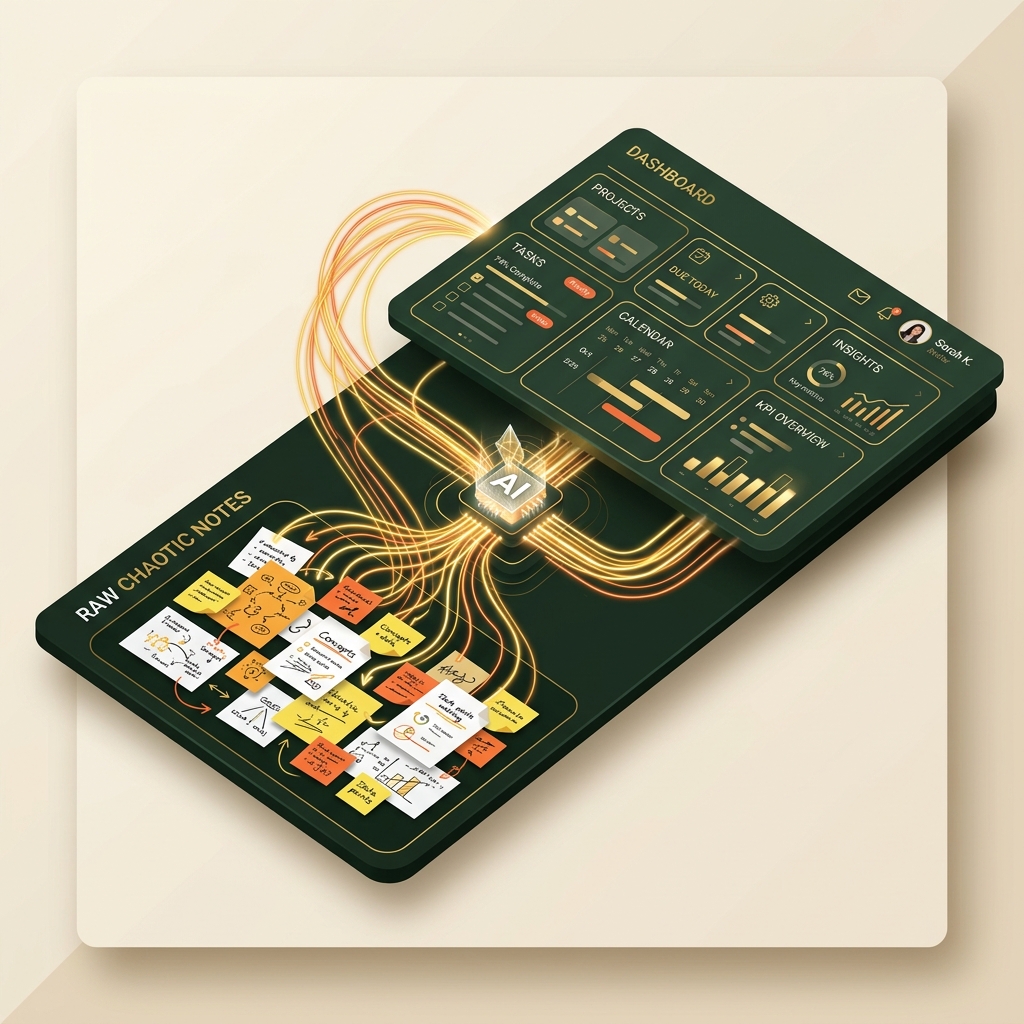
You've tried AI. It gave you something generic.
You typed "write me a report" into ChatGPT. What came back sounded like nobody, about nothing. So you concluded what most professionals conclude: "AI doesn't understand my work."
Then maybe you tried the other route — the prompt templates from LinkedIn. Copy, paste, hope. Slightly better output, still not yours, and you're now maintaining a folder of magic spells you don't understand.
Here's the uncomfortable truth: the problem was never the AI, and templates were never the answer. The models have moved past template tricks. What actually works in 2026 is a skill — briefing AI the way you'd brief a capable colleague — and skills can't be copy-pasted. They have to be shown, then practiced.
That's what this session is.
This is a working session, not a slideshow.
You'll watch every step happen live on screen — the messy input, the exact words typed, the AI's mistakes, and how they get caught.
1. The S.A.V.E. Method (15 min)
The four-step method behind every AI workflow that survives contact with a real job: Start with the Goal, Ask AI Effectively, Verify the Output, and Execute & Automate.
2. Live Build #1 (18 min)
A genuinely messy page of weekly notes — half-sentences, stray numbers, a vendor complaint — becomes a status report a manager actually reads. You'll also watch the AI make a real mistake, and learn why that exact mistake was predictable.
3. Live Build #2 (18 min)
A raw, dirty Excel export — mixed date formats, duplicates, blanks — becomes three patterns, one anomaly worth investigating, and a summary you could say out loud in a Monday meeting.
4. Your Roadmap (5 min)
How to go from two workflows to applying this across everything repetitive on your desk.
5. Live Q&A (until we're done)
Bring the task you wish would do itself. Ask about it directly.
Walk out with, not just walk through:
- Two complete workflows you watched get built and can adapt the next morning
- The 4-part briefing structure (Context · Role · Task · Format) that replaces every prompt template you've saved
- The verification checklist — the three things to check before you ever forward AI output, and the predictable places AI gets it wrong
- The playbook habit — how to save a workflow once so it takes minutes forever after
- 48-hour replay access, so you can rebuild both workflows at your own pace
Built for people with real jobs, not AI hobbyists.
This is for you if:
- — You're a working professional or fresher who wants practical AI skills for your actual daily work
- — You can use email and Excel — that's the entire prerequisite
- — You're done collecting tips and want one method you can rely on
This is NOT:
- — An AI engineering session — no models trained, no code written
- — A prompt-template giveaway — we'll show you why those are already outdated
- — A get-rich webinar — nobody honest promises you outcomes, and we won't

Learn from someone who ships with AI daily — and has taught for 15 years.
Deepak is the CEO of Softknack, an AI-first SaaS company — which means his team doesn't talk about AI trends, they build products with these tools every single day. Before that: fifteen years in the software industry and more than 500 professionals trained, from freshers to senior engineers, through GetCamped.
The teaching style you'll experience: everything demonstrated live on realistic work, nothing hidden, mistakes shown and caught on screen — because knowing where AI goes wrong is half the skill.
Why not free?
Free webinars attract registrations, not attention — most people sign up and never show, and the ones who do get 15 minutes of content wrapped in 75 minutes of selling.
₹199 flips that. It's less than a food delivery order, but it's enough that everyone in the room actually wants to be there — which means the session can be dense, fast, and genuinely useful from minute one. You're paying for a working session, and that's exactly what you'll get.
(And yes — if you decide it wasn't worth ₹199, reply to your confirmation email within 24 hours of the session and we'll refund it. That's how confident we are in the teaching.)
Frequently Asked Questions
Is this live or recorded?
Live. Deepak teaches and takes questions in real time. A replay is available for 48 hours after the session for ticket holders.
I'm not technical. Will I keep up?
Yes. You'll watch two workflows built without a single line of code. If you can write an email, you have every prerequisite.
Which AI tools do I need?
Everything in the session runs on tools with free tiers. Where a paid tool genuinely helps, we'll say so honestly — and where it doesn't, we'll say that too.
Will something be sold during the session?
Honest answer: yes — in the final 20 minutes, Deepak briefly covers his full masterclass for people who want to go deeper, with an offer exclusive to attendees. The first 60 minutes teach completely regardless of whether you ever buy anything. The ₹199 is for the teaching, and the teaching stands on its own.
What if I can't attend live?
Your ticket includes 48-hour replay access. But come live if you can — the Q&A is where your specific task gets answered.
Is this the same session every week?
The method and builds are consistent; the Q&A never is. Attend the week that suits you.
Two workflows. One method. Ninety minutes.
The next session is Sunday, August 2 at 11:00 AM IST. Seats are limited so Q&A stays useful.
Instant confirmation · Zoom link by email · 48-hour replay included